- 18+ Only
- SSL Encryption
- 24/7 Live Chat
- bKash & Nagad
- Nagad & Rocket
- Bank Transfer & Upay
Log In to xxbet
Don't have an account yet?
Create a Free AccountWhy Log In Daily?
- Check your daily cashback — up to 0.5% returned automatically
- Place cricket bets on BPL, IPL, T20 and ODI matches in real time
- Withdraw via bKash or Nagad — processed in about 20 minutes
- Track your VIP progress toward Silver, Gold, and Platinum tiers
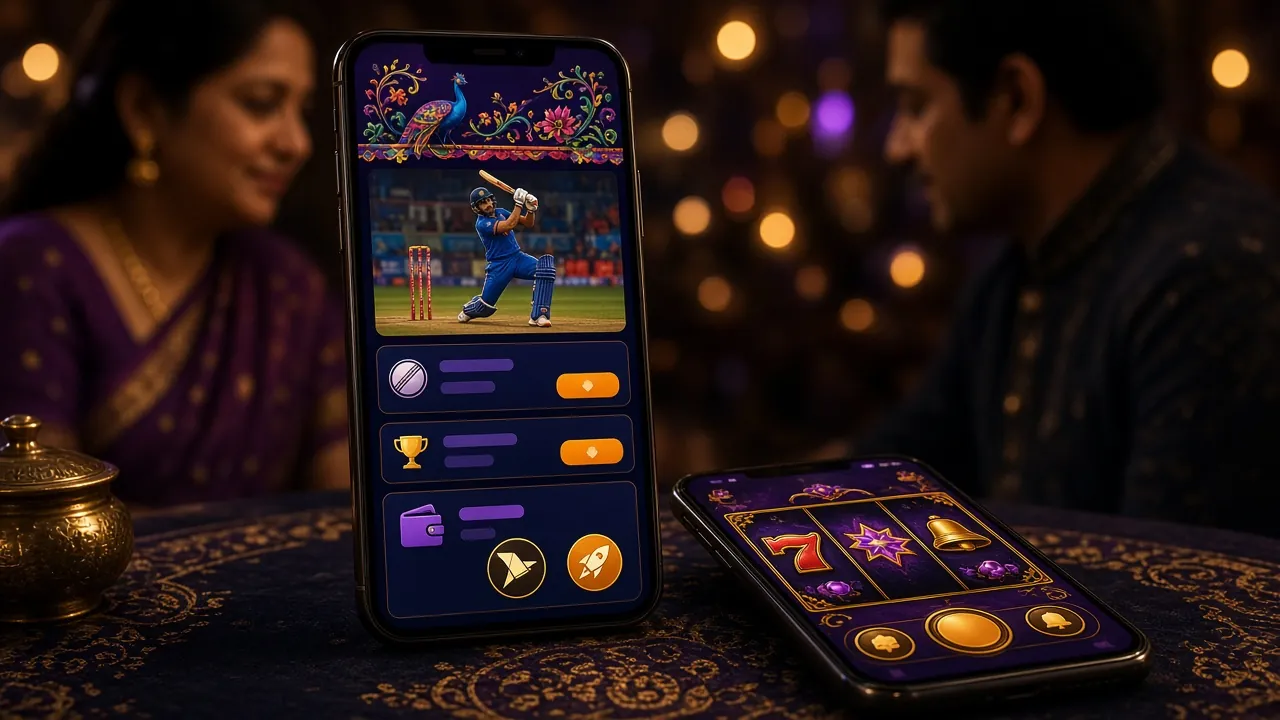
Prefer the App?
Log in faster with the xxbet Android app — version 2.7.8, free to install, only 28 MB.
How to Log In: Step-by-Step
The xxbet login process takes under 30 seconds. Follow these four steps exactly and you will land on your game lobby without issue.
Open the Login Page
Visit xxbet.site/xxbet-login/ on any browser or tap the "Log In" button inside the xxbet Android app (version 2.7.8). Make sure you have a stable mobile data or Wi-Fi connection before proceeding.
Enter Your Mobile Number
Type the Bangladesh mobile number you registered with — include the country prefix +880 (the field prefills it). Use the same number linked to your bKash or Nagad wallet for faster deposit top-ups after signing in.
Enter Your Password
Type your password, then tap the eye icon to confirm you have not mistyped it. If you are on a private device, tick "Remember me" so the browser saves your credentials — do not use this on shared or public devices.
Tap Log In & Play
Press the "Log In" button. You will land directly in the game lobby. From there you can check your bonus balance, join a live cricket match, or go straight to the xxbet Casino. Deposits via bKash arrive in about 2 minutes.
Login Method Comparison
xxbet supports three practical ways to access your account. Choose the one that fits your device and daily routine.
| Method | Where to Use | Speed | Best For | Notes |
|---|---|---|---|---|
| Mobile Number + Password | Browser (any device) | Fast | Daily access on any phone | Most common method; works on Chrome, Firefox, and Samsung Internet. |
| Mobile Number + Password | xxbet Android App v2.7.8 | Fastest | Regular players who prefer mobile | App stores session longer; push notifications for match alerts. Download here. |
| Username + Password | Browser or App | Fast | Players who set a custom username during registration | Username set during registration; case-sensitive. If unsure, use mobile number instead. |
All three methods use the same account and balance — switching between them will not affect your funds or bonus progress.
Account Security Advice
Protecting your xxbet account keeps your balance and personal details safe. These five steps take less than five minutes to set up and can prevent most account issues.
-
Use a password you do not reuse anywhere else
A unique password — at least 8 characters, mixing letters and numbers — stops credential-stuffing attacks. Avoid using your bKash PIN or date of birth as your xxbet password.
-
Keep your registered mobile number active
Your mobile number is both your login ID and your SMS verification channel. If you change your SIM, contact xxbet Support via 24/7 Live Chat immediately so the number can be updated on your account before you lose access.
-
Avoid logging in on public Wi-Fi
Open Wi-Fi at tea stalls, bus stands, or university campuses can expose your session token. Use your mobile data connection (Grameenphone, Banglalink, Robi, or Airtel) whenever you log in to xxbet.
-
Log out after every session on shared devices
If you use a friend's or family member's phone, always tap the account icon and select "Log Out" before handing the device back. The "Remember me" checkbox should stay unchecked on shared devices.
-
Watch for phishing links in SMS or chat apps
xxbet will never ask for your password via SMS, WhatsApp, or Telegram. The real login address is always xxbet.site/xxbet-login/. If a link looks different, do not click it — report it to [email protected].
Quick Security Checklist
- Unique password set
- Mobile number is active SIM
- Using mobile data, not public Wi-Fi
- "Remember me" only on personal device
- Logged out on shared devices
New to xxbet?
If you have not registered yet, opening an account takes about 2 minutes. First-time depositors get a welcome bonus on their initial top-up.
Register NowLogin Troubleshooting
If you cannot sign in, match your situation to the table below. Most problems are resolved in under two minutes without contacting support.
| Problem | Likely Cause | Fix |
|---|---|---|
| "Incorrect password" error | Password typed incorrectly or Caps Lock is on | Tap the eye icon to reveal your password and retype it carefully. If still failing after three attempts, use the Forgot Password flow below. |
| "Mobile number not found" | Number entered without country code, or a different number was used during registration | Try the format 01XXXXXXXXX (without +880 — the field adds the prefix). If unsure which number you registered, contact [email protected]. |
| Account locked / suspended | Too many failed login attempts or a security flag raised by xxbet | Wait 30 minutes, then try again. If the account remains locked, reach out to 24/7 Live Chat with your registered mobile number and a valid ID to verify ownership. |
| Page not loading or blank screen | Browser cache is stale or network timeout | Clear browser cache (Settings → Clear Data) and try again. Switch from Wi-Fi to mobile data. If using the app, close and restart it. Updating to app version 2.7.8 often fixes blank-screen issues. |
| SMS verification code not arriving | SIM card out of service, or message filtered as spam | Check that your SIM has signal and is not in roaming-block mode. Wait up to 2 minutes for delivery. If still missing, request a resend once. If your number has changed, contact support before retrying. |
| Balance shows ৳0 after login | Logged into a different account, or a pending withdrawal has cleared the balance | Check the mobile number shown in your profile — it should match the number you deposited from. If there is a discrepancy, use Live Chat. Deposits via bKash/Nagad reflect within 2 minutes of transfer. |
Forgot Password – Account Recovery
If you cannot remember your password, follow these three steps to reset it. You will need access to the mobile number linked to your xxbet account.
-
Tap "Forgot your password?" on the login page The link is directly beneath the password field. Tapping it opens the recovery form. Enter the Bangladesh mobile number (+880) you used when you first registered — this is the number that will receive the reset SMS.
-
Enter the OTP sent to your registered number A one-time password (OTP) will arrive via SMS within 2 minutes. Type the 6-digit code into the verification field on the page. OTP codes expire after 5 minutes — if yours has expired, tap "Resend" once and wait again.
-
Set a new password and log in immediately Choose a new password of at least 8 characters that you do not use on other platforms. Confirm it in the second field, then submit. You will be directed straight to the xxbet login page — sign in with your new password right away.
Can't receive the SMS? If your registered number is no longer active, you cannot reset the password yourself. Send an email to [email protected] from the email you registered with, attaching a photo of your NID or Passport for identity verification.
Also Try: Login via App
The xxbet Android app (v2.7.8, 28 MB, free) stores your session for longer and can log you in automatically after the first successful sign-in. Install it to avoid repeated login steps.
Get xxbet AppAfter Login: Play at xxbet Casino
Once signed in, head to the xxbet Casino to play Slots, Fishing, Live Casino, and Crash games. Your welcome bonus and daily cashback apply to all titles.
Visit CasinoFrequently Asked Questions
Deposit & Bonus
What is the welcome bonus after login?
xxbet offers a 200% welcome bonus on your first deposit, up to ৳8,000. This means if you deposit ৳1,000, you receive ৳2,000 bonus credit, totaling ৳3,000 to play with. The bonus is credited instantly after deposit approval and applies to Slots, Fishing, Live Casino, and most game types. See full bonus terms.
How long does a bKash deposit take after login?
bKash deposits are processed within 2 minutes after you complete the transfer and log into xxbet. You'll see the balance reflected in your account immediately after approval. Minimum deposit is ৳500; maximum is ৳50,000 per transaction.
Can I change my password after logging in?
Yes. Log into xxbet, go to Account Settings or Profile, and select "Change Password". Enter your current password, then your new password twice. Your new password takes effect immediately on your next login.
Account Access
I've forgotten both my mobile number and password. Can I still log in?
If you've forgotten both, contact xxbet Support at 24/7 Live Chat or email [email protected] with your registered email address and a photo of your NID or Passport. Support will help verify your identity and reset your credentials.
Can I log in from two devices at the same time?
Yes. xxbet allows simultaneous login from multiple devices (browser and app, or two browsers). Your balance and bonuses are synchronized across all devices in real time. Logging out on one device does not affect your session on others.
Why does my login fail with "network timeout"?
A network timeout usually means your connection is too slow or unstable. Switch from Wi-Fi to mobile data, move to an area with stronger signal, or try again in a few moments. If the error persists, clear your browser cache and try a different browser or the mobile app.
Security & Privacy
Is my xxbet login data encrypted?
Yes. xxbet uses 256-bit SSL encryption for all login and payment data. The green lock icon in your browser's address bar confirms the secure connection. Never log in via a link in SMS or social media — always visit xxbet.site directly.
What happens if I don't log out on a shared device?
If you forget to log out, anyone with access to that device can view your account balance, place bets, and make withdrawals. Always log out immediately after finishing, especially on public or shared phones. Use "Remember me" only on personal devices.
How do I report a phishing or fake login link?
Forward any suspicious links to [email protected] with a screenshot. Never click unknown login links — the official address is always xxbet.site/xxbet-login/. If you've already entered credentials on a fake site, change your xxbet password immediately.
Mobile App
Is the xxbet app version 2.7.8 safe to download?
Yes. The xxbet Android app (v2.7.8, 28 MB, free) is the official version and safe to install. It requires Android 8.0 or higher. Download from the xxbet website's "Download App" section. Never download from untrusted third-party stores.
Can I use the app to log in faster than the browser?
Yes. After your first successful login on the app, it can store your session and let you skip the login step on subsequent visits. The app also sends push notifications for live match updates and bonus alerts, which the browser version doesn't offer.
What should I do if the app crashes after login?
Close the app completely (not just minimize), then reopen it. Your session will restore automatically. If crashes persist, clear the app's cache in Android Settings → Apps → xxbet → Storage → Clear Cache, then reopen. Updating to the latest version (2.7.8) usually fixes stability issues.
🎫Quick Login in 4 Steps🎫
-
1
Visit the Login Page
Open xxbet.site on your browser or tap "Log In" in the xxbet app. Ensure you have a stable internet connection.
-
2
Enter Your Mobile Number
Type your registered Bangladesh number with +880 prefix. Use the same number linked to your bKash or Nagad account.
-
3
Input Your Password
Enter the password you created during registration. If forgotten, click "Forgot Password?" to recover it instantly.
-
4
Access Your Game Lobby
Click "Log In" and land directly on your account dashboard with all games, sports bets, and wallet balance visible.